
📺 TiviMate Complete Guide 2026
Everything about TiviMate — installation on Fire TV and Android TV, Premium features, multi-view, DVR recording, EPG setup, hidden tips and the Companion app.


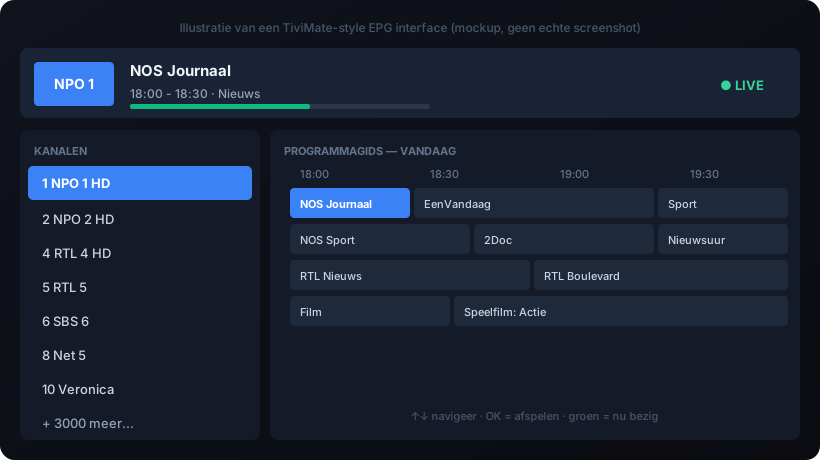
🎯 Why TiviMate?
- Buttery-smooth interface — no lag, no stutter
- Best TV-style EPG of all IPTV apps
- Stable playback, even with heavy 4K HEVC streams
- Premium features (DVR, multi-view) for a low price
- Works with M3U, Xtream Codes and Stalker portal
Limitation: Android TV, Fire TV and Android phones only — no iOS, no Smart TV (Tizen/webOS), no tvOS.
📥 Installation
On Android TV / Google TV
- Open Google Play Store on your TV
- Search
TiviMate IPTV Player - Install, open, skip intro
- Add playlist → choose M3U or Xtream Codes
On Fire TV Stick (sideload)
- Settings → My Fire TV → Developer Options → enable "Apps from Unknown Sources"
- Install the Downloader app from Amazon Appstore
- Enter the TiviMate download URL
- Install and open
⚙️ First setup — add playlist
Xtream Codes
- Add playlist → Xtream Codes
- Server URL:
http://server.com:8080 - Username + password from your provider
- Enable "Use EPG from Xtream Codes"
💎 Free vs Premium
| Feature | Free | Premium (€9.99/yr or €33.99 lifetime) |
|---|---|---|
| Playlists | 1 | Unlimited |
| EPG days | 1 day | 14 days |
| Catch-up TV | ❌ | ✅ |
| DVR recording | ❌ | ✅ |
| Multi-view (up to 9) | ❌ | ✅ |
| Picture in Picture | ❌ | ✅ |
| Companion app sync | ❌ | ✅ |
Lifetime (€33.99) is cheaper than yearly after 4 years. Most serious users pick lifetime.
🎬 Multi-view (Premium)
Watch up to 9 channels at once — perfect for sports Sundays.
- Settings → Playback → enable Multi-view
- Select a channel → long press → Add to Multi-view
- Tap a channel for audio focus, double tap for fullscreen
Hardware: Fire TV Stick 4K Max handles 4× 1080p. NVIDIA Shield Pro handles 9 streams.
💾 DVR recording (Premium)
- Settings → DVR → Storage location (internal, USB, SMB/NAS)
- Open EPG → select future program → Record
- Padding: 2 min before + 10 min after (sports-safe)
- "Record series" auto-records all episodes
🎁 Hidden features
- Auto frame rate — matches TV refresh to content (no judder)
- Dummy channels — add local video/URL as a "channel"
- Channel groups — create "Sports", "Movies", "Kids"
- Hide channels — clean up 5000+ channel lists
- Stream info overlay — long press OK to see resolution, codec, bitrate
- External player — route problematic streams to VLC/MX Player
🔧 Troubleshooting
- Buffering: Settings → Playback → Buffer → 8000ms; enable hardware acceleration
- Crashes: Clear cache (not data); reinstall via Companion app backup
- EPG missing: wrong tvg-id matching — fix with our M3U Editor
📚 More
❓ Frequently asked questions about TiviMate
Is TiviMate free?
Yes, the basic version is free. TiviMate Premium (one-off or yearly) adds multi-view, recording (DVR), multiple playlists and themes.
Does TiviMate work on iOS or Apple TV?
No. TiviMate is only available for Android, Android TV and Fire TV. On Apple use IPTV Smarters or iPlayTV.
How do I add a playlist in TiviMate?
Open TiviMate → Settings → Playlists → Add playlist, then choose an M3U URL or an Xtream Codes login. Add an EPG source afterwards.
Does TiviMate support recording (DVR)?
Yes, with TiviMate Premium, provided your stream allows recording.